
See exactly what your child gets, before you pay
Here is the app your child will use, screen by screen, in the order your family meets it. These are real screens from Knowbotic.
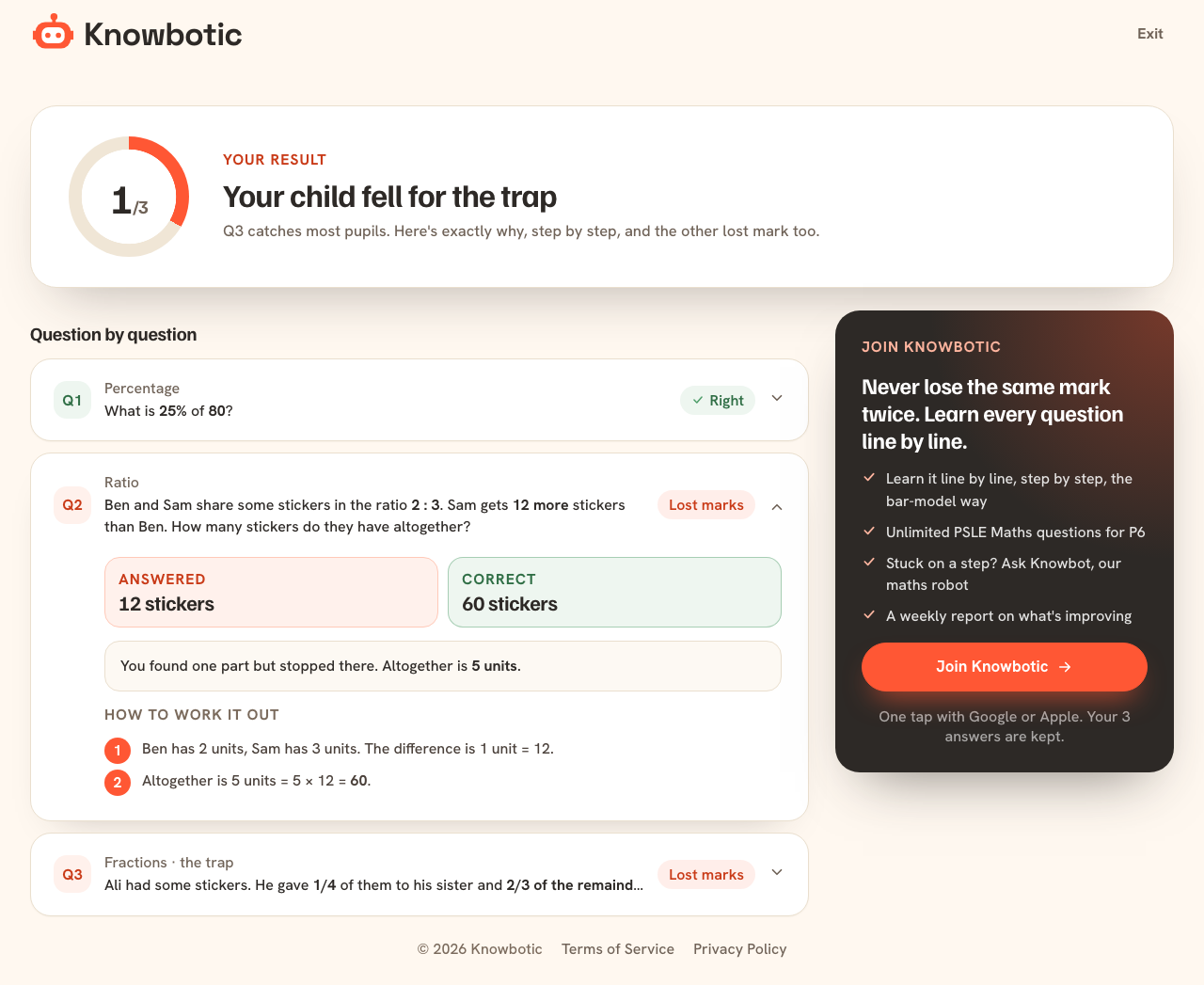
Three free questions
Before you pay anything, your child answers 3 PSLE questions. You see every lost mark, the right working and the habit behind it.
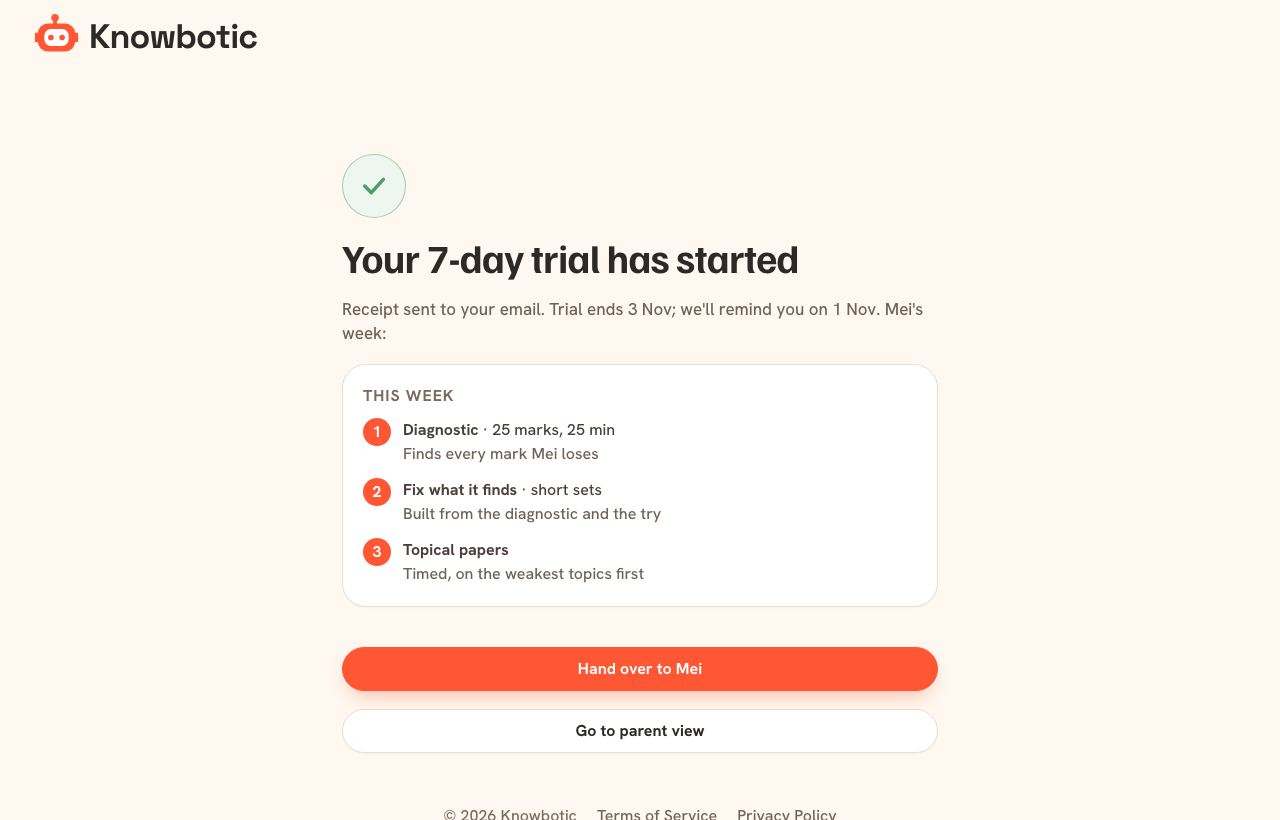
Start the trial
S$4.99 for 7 days. You see the dates straight away, and we remind you 2 days before the trial ends.
A short diagnostic paper
Timed, in the 2026 format. It finds the habits that cost your child the most marks.
More about diagnostic test →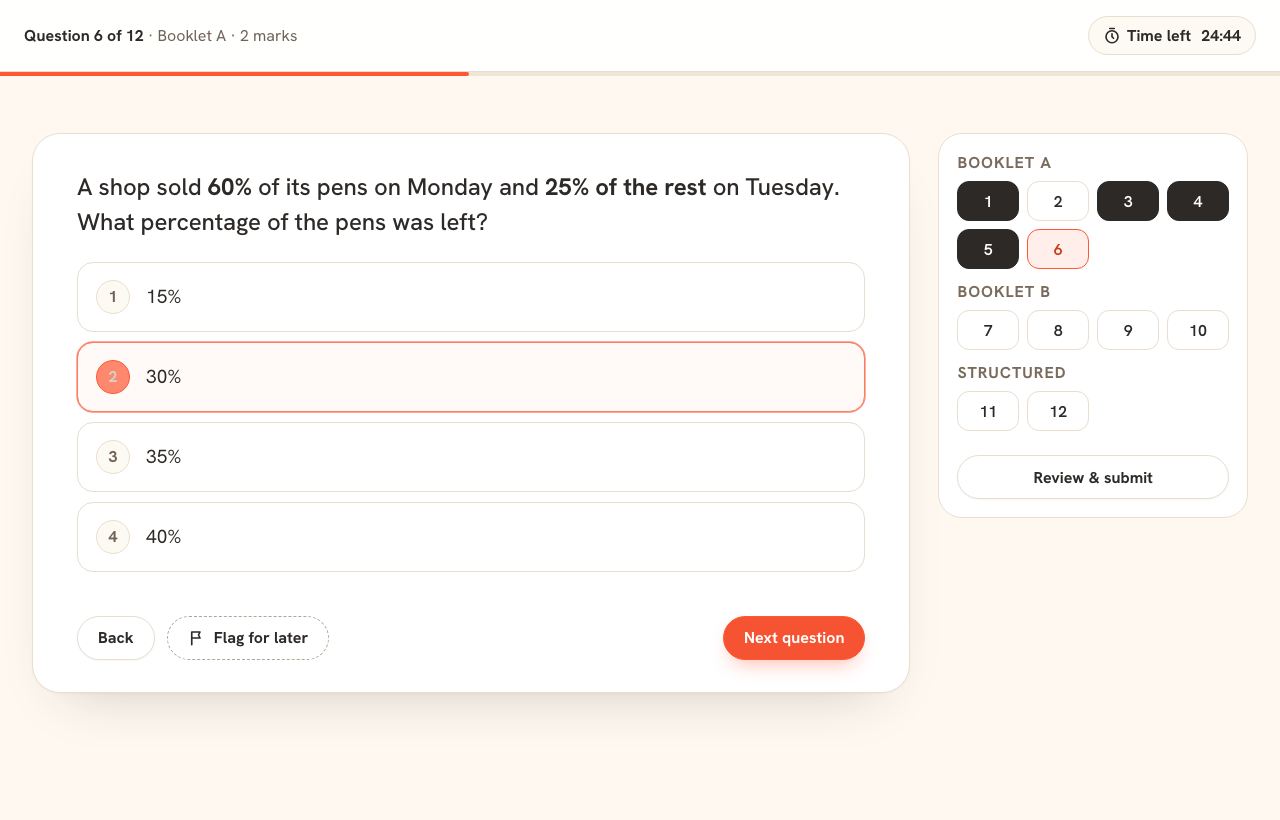
The result names the habits
Not just a score: the marks grouped by the habit that lost them, and one next step.
More about diagnostic test →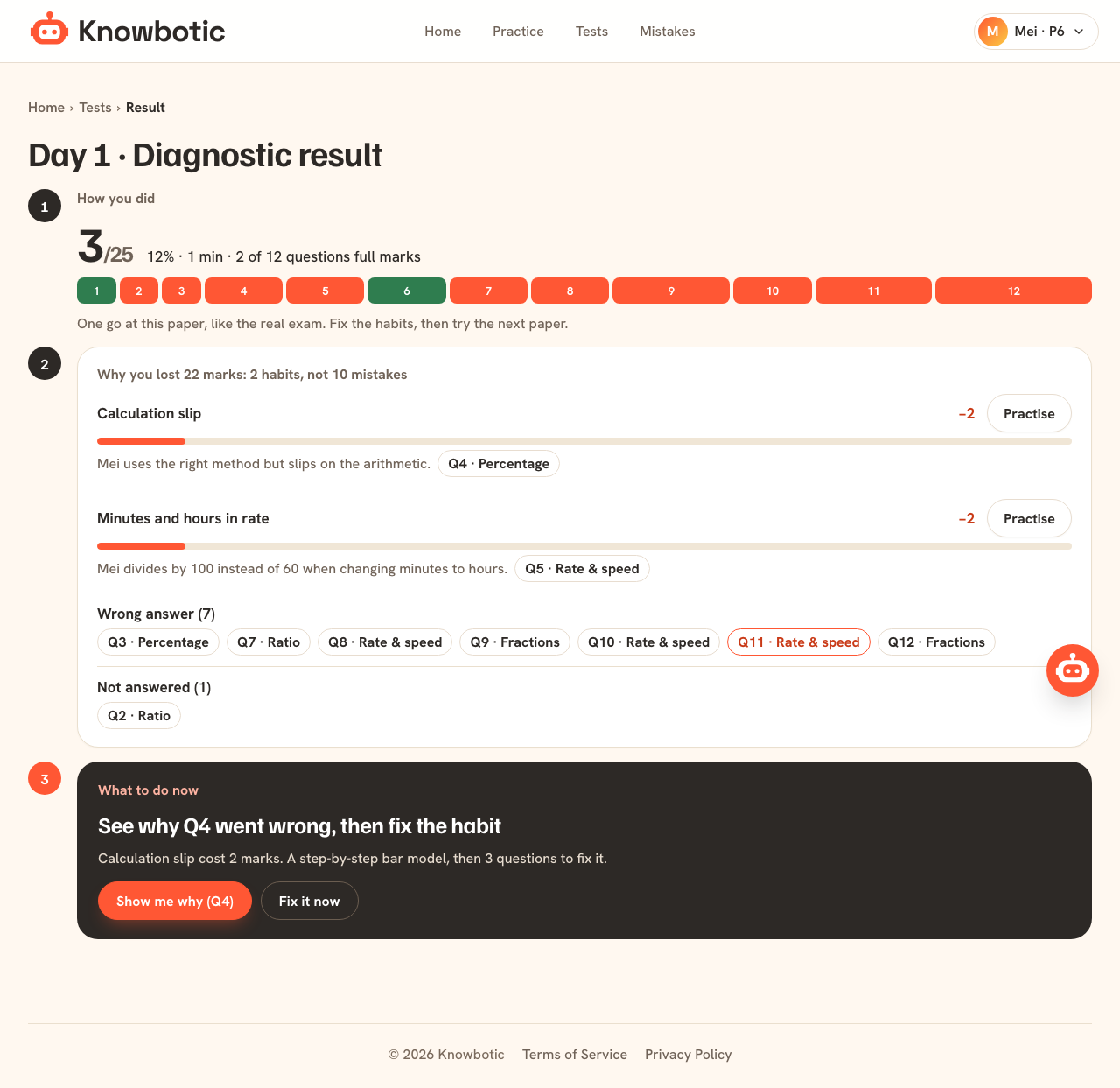
Every lost mark explained
Your child’s answer, the right one, what went wrong and the steps. Then practice on that habit.
More about mistakes, fixed →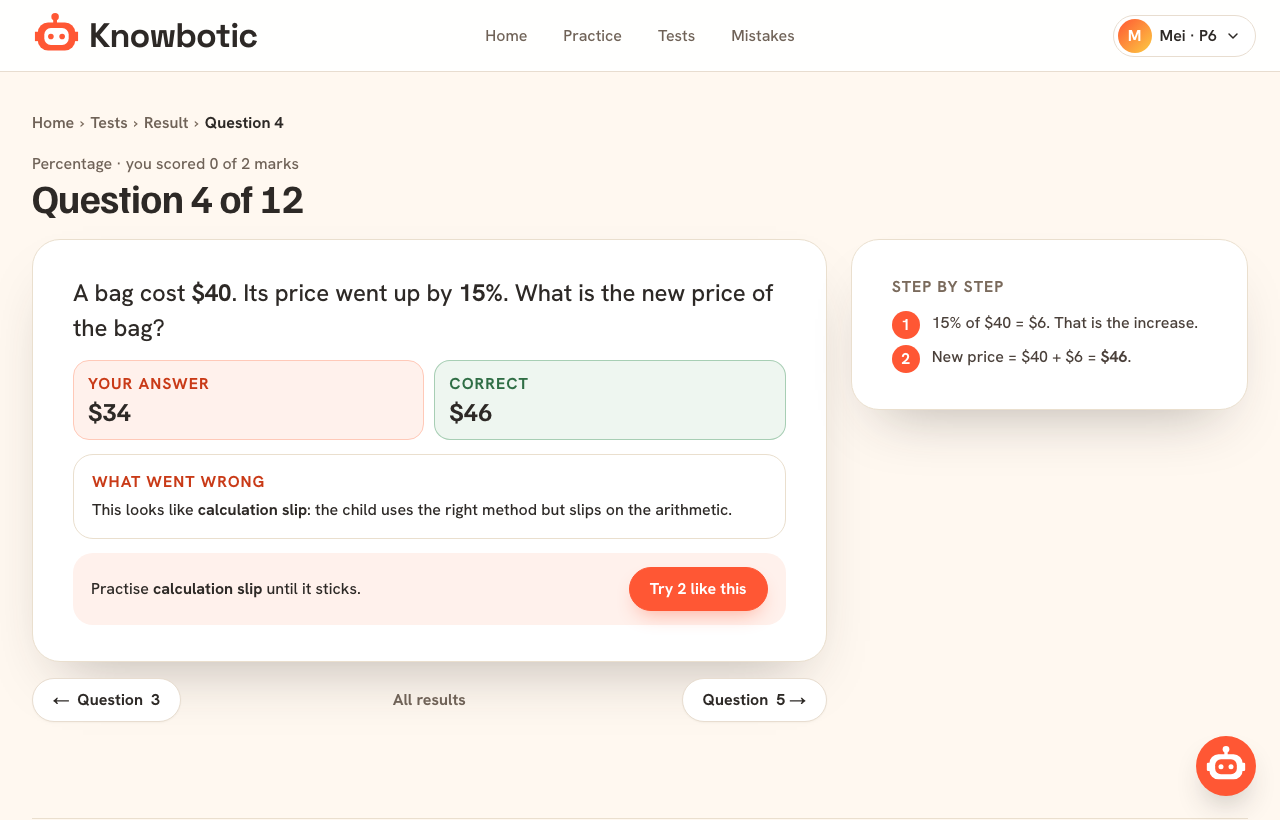
Practise until it’s fixed
Each habit stays on the list until it is right 3 times in a row.
More about mistakes, fixed →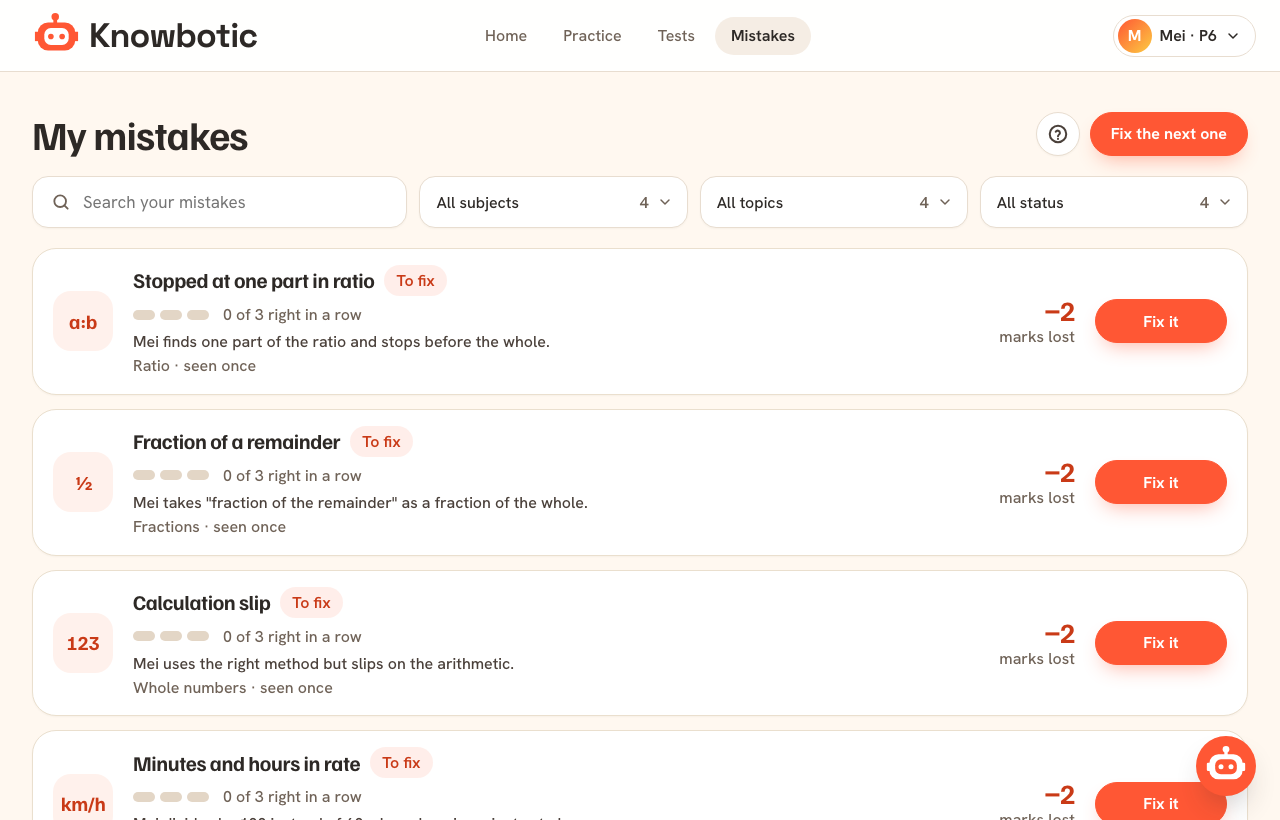
One thing to do each day
The home screen shows today’s step and the week ahead, up to a full mock in the 2026 format.
More about today’s plan →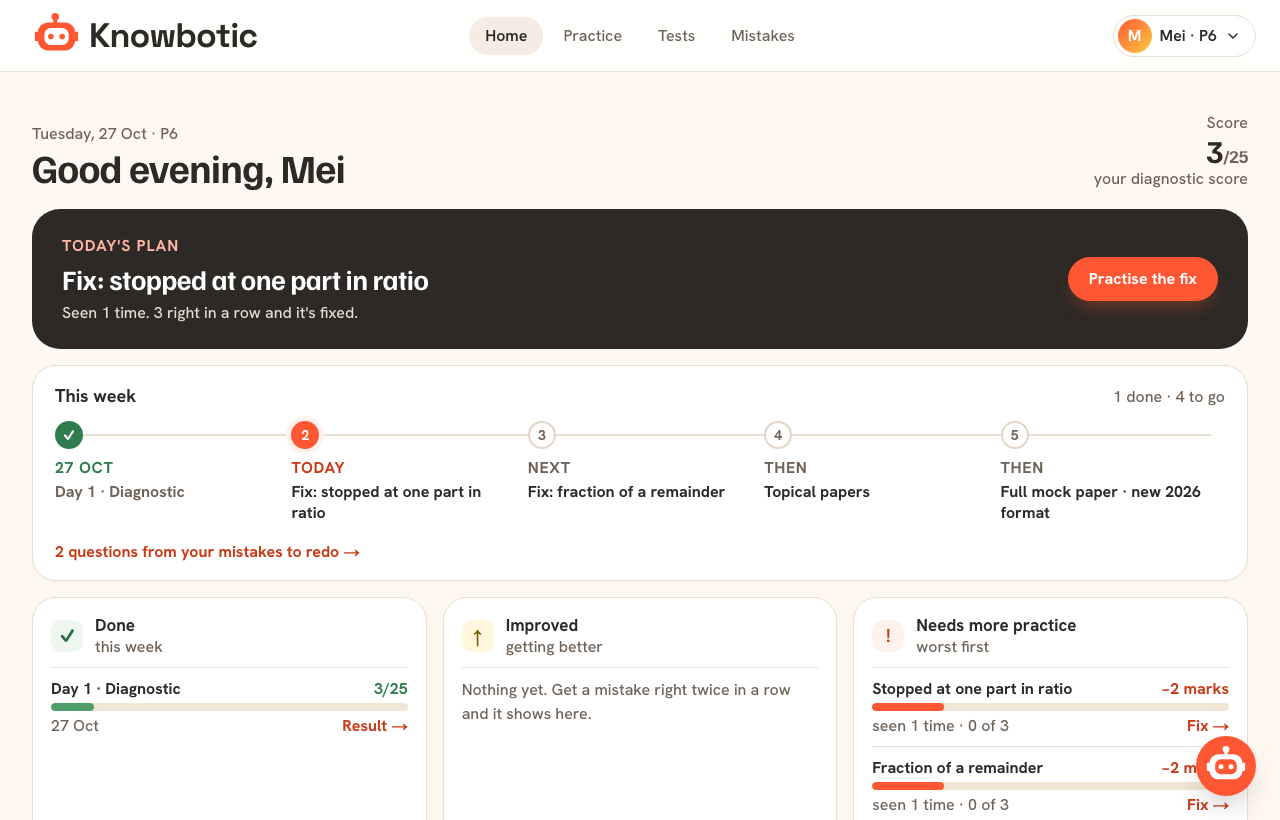
You see the progress
Days practised, right first time, topics weakest first, habits fixed, and a weekly report in one line.
More about parent view and weekly report →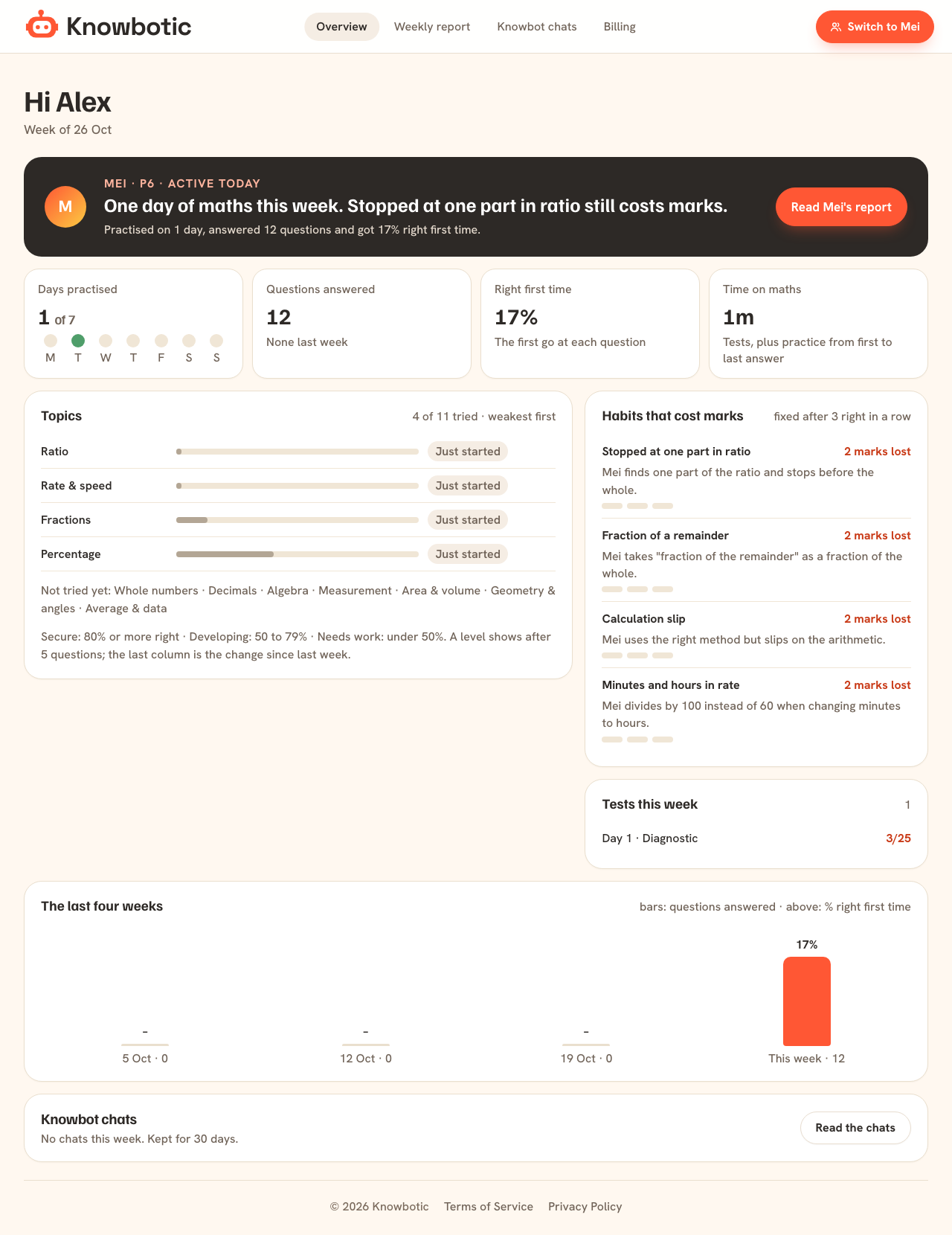
Look closer
Diagnostic test
A short timed PSLE Maths diagnostic for P6 that finds the habits costing your child marks, then turns them into a practice plan for the week.
See it →Timed mock exams
Full PSLE Maths mock exams online in the 2026 format: Paper 1 and Paper 2, timed, marked when your child submits, every lost mark explained.
See it →Mistakes, fixed
Every wrong answer traced to the habit behind it, explained step by step, then practised until it is right 3 times in a row. See it working.
See it →Today’s plan
Your child's home screen shows one thing to do today, the week as a path from diagnostic to full mock, and what still needs practice.
See it →Parent view and weekly report
See your child's PSLE Maths progress every week: days practised, right first time, topics, habits fixed and what still costs marks.
See it →Knowbot, the maths tutor
Knowbot helps your child on any practice question in English, Chinese, Malay or Tamil. It asks questions back instead of giving the answer away.
See it →Before you join
What do I get when I pay?
Everything: 10 full mock exams, topic practice and timed topic tests on every PSLE topic (2,838 questions), every lost mark explained, the habits list, Knowbot the maths tutor, and the parent view with a weekly report.
Is there a free version?
The 3 free questions, with the full explanation of every lost mark. The rest comes with the trial or a plan.
Does it work on a phone or tablet?
Yes. Knowbotic runs in the browser on a phone, tablet or computer. There is nothing to install.
Which level is it for?
Primary 6, preparing for the PSLE. One child per account for now.
See which habits are costing your child marks.
Three PSLE questions, free, no sign-up. You’ll see exactly where the marks went. Then 7 days of everything for S$4.99.