
See your child’s PSLE Maths progress, every week
A parent view that answers the questions you would ask: did they practise, is it getting better, and what is still costing marks. Two minutes a week.
How it works for your child
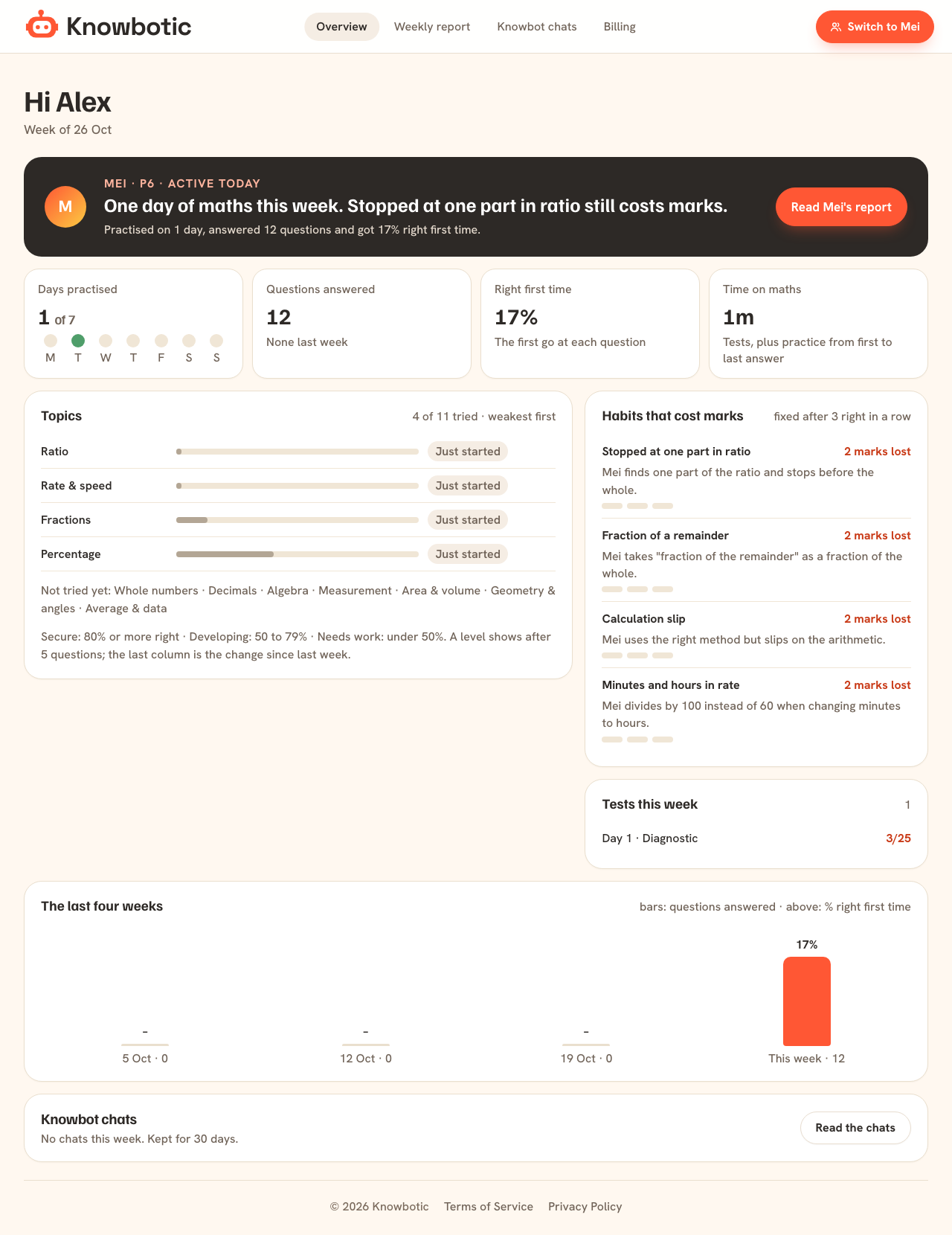
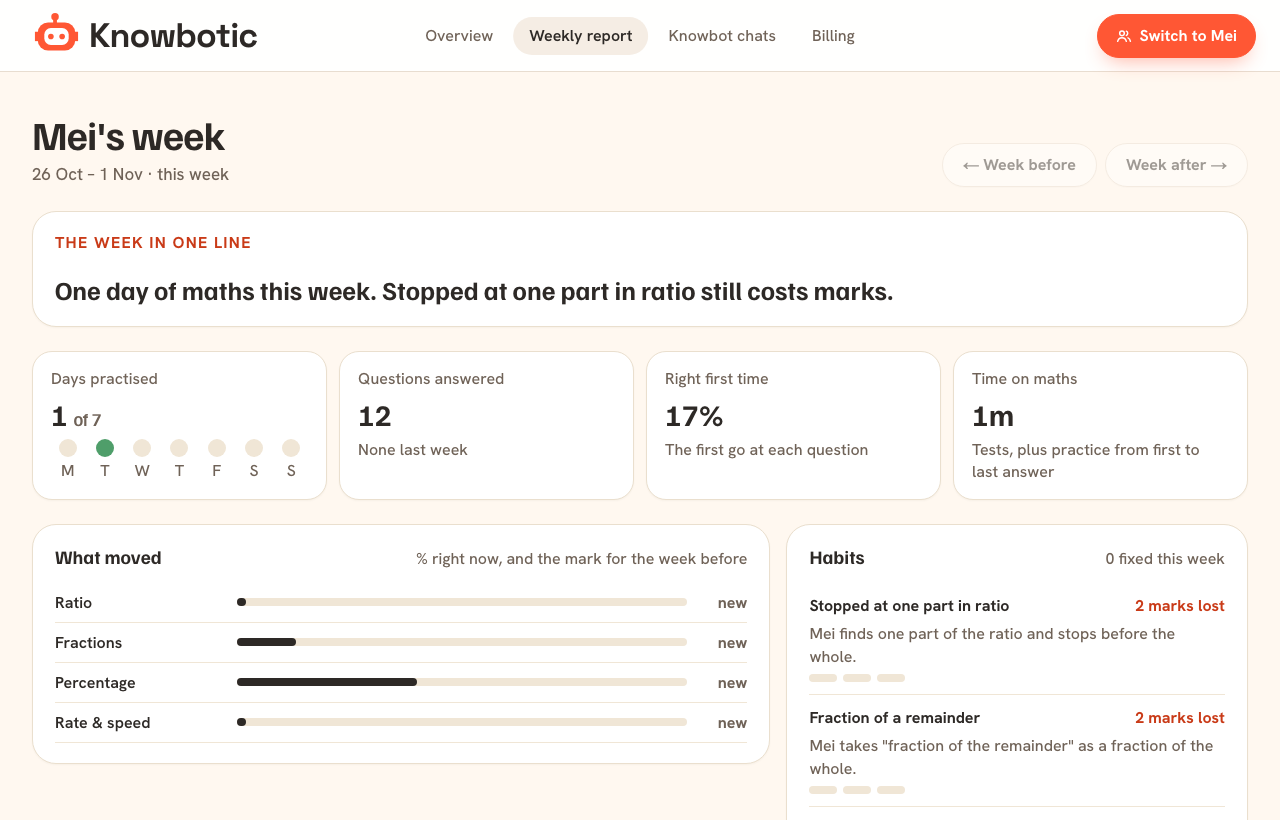
The week in one line
A plain sentence at the top: how much your child practised and the one habit that still costs marks.
The numbers that matter
Days practised, questions answered, right first time and time on maths, with last week beside them.
Topics, weakest first
Each topic marked Secure (80% or more right), Developing (50 to 79%) or Needs work (under 50%).
Habits and tests
Which habits cost marks, which were fixed this week, every test score, and the last four weeks as a chart.
Knowbot chats, open to you
You can read what your child asked Knowbot. Chats are kept for 30 days.
Parent view and weekly report, answered
Do I need to check the app every day?
No. The weekly report is enough for most parents. The overview is there when you want more.
Can I see the questions my child got wrong?
Yes. From the parent view you can switch to your child’s side and open any result, question by question.
Everything in Knowbotic
Diagnostic test
A short timed PSLE Maths diagnostic for P6 that finds the habits costing your child marks, then turns them into a practice plan for the week.
See it →Timed mock exams
Full PSLE Maths mock exams online in the 2026 format: Paper 1 and Paper 2, timed, marked when your child submits, every lost mark explained.
See it →Mistakes, fixed
Every wrong answer traced to the habit behind it, explained step by step, then practised until it is right 3 times in a row. See it working.
See it →Today’s plan
Your child's home screen shows one thing to do today, the week as a path from diagnostic to full mock, and what still needs practice.
See it →Knowbot, the maths tutor
Knowbot helps your child on any practice question in English, Chinese, Malay or Tamil. It asks questions back instead of giving the answer away.
See it →See which habits are costing your child marks.
Three PSLE questions, free, no sign-up. You’ll see exactly where the marks went. Then 7 days of everything for S$4.99.