
Getting started with Knowbotic: your child’s first week
From the first three free questions to your first weekly report, here is what your child does each day, and what you see.
Day 1: three free questions
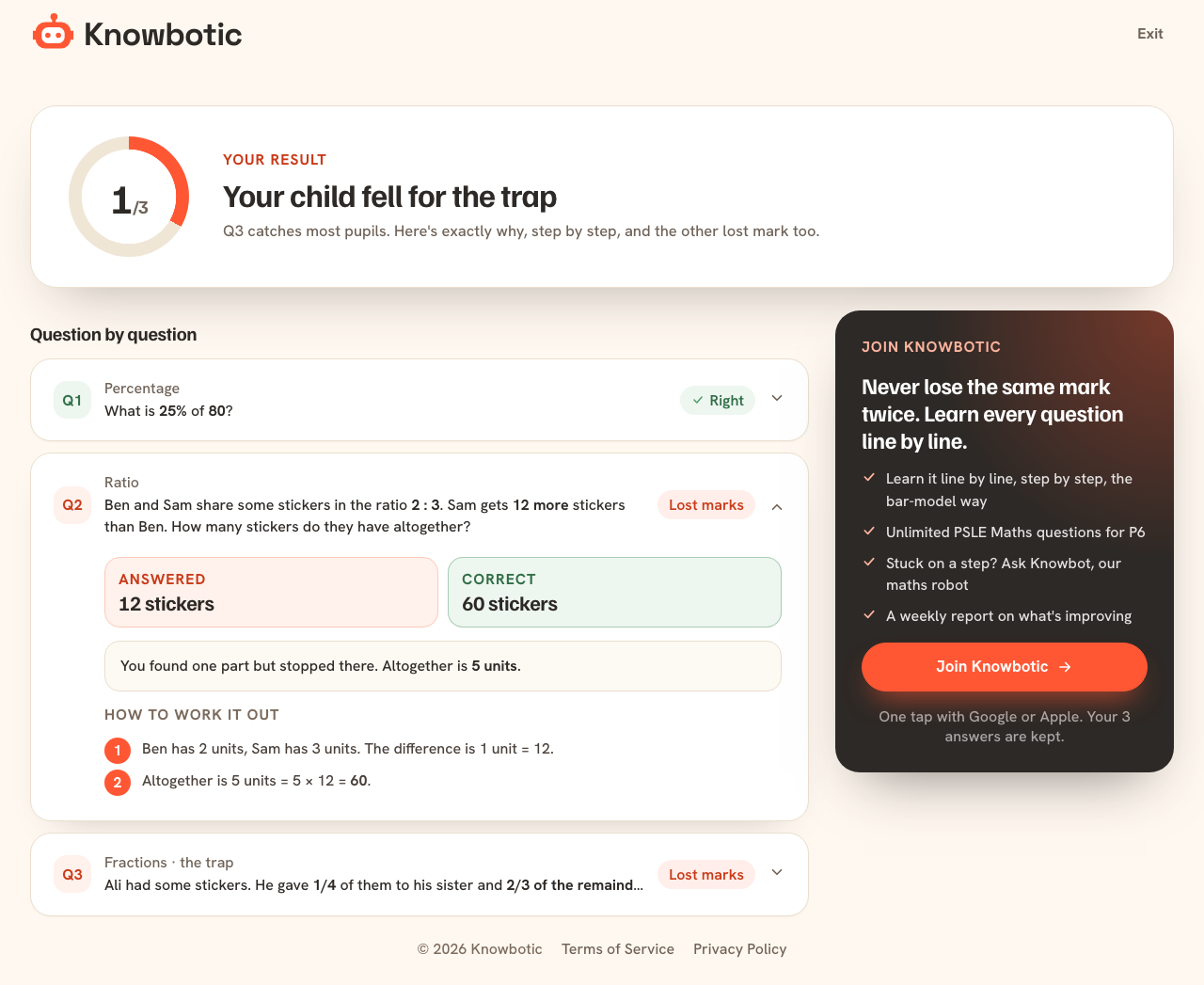
No sign-up. Your child answers three PSLE Maths questions, and you see each lost mark, the right working, and the habit behind any wrong answer.
Start the trial
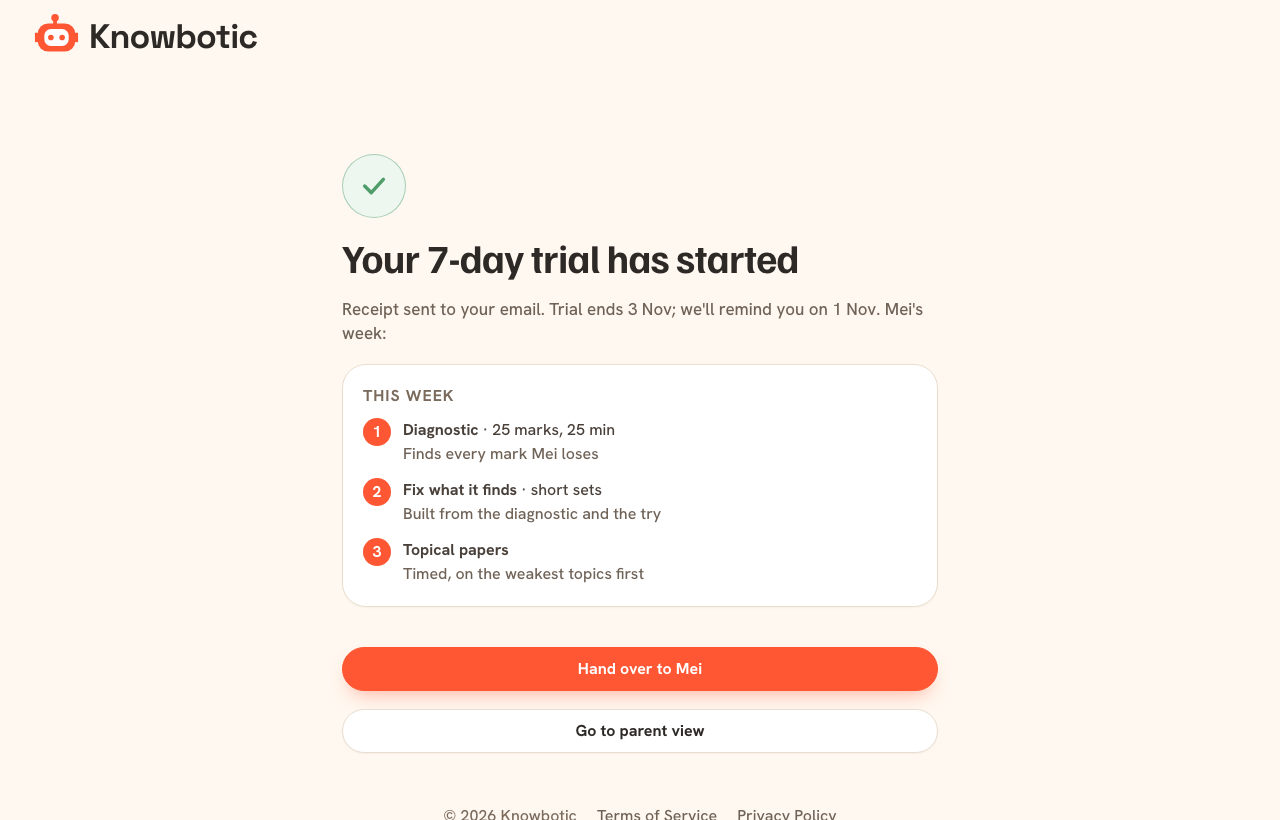
Sign in with Apple or Google, add your child, and start the 7-day trial for S$4.99. You see straight away when the trial ends and when we will remind you.
Day 1 or 2: the diagnostic
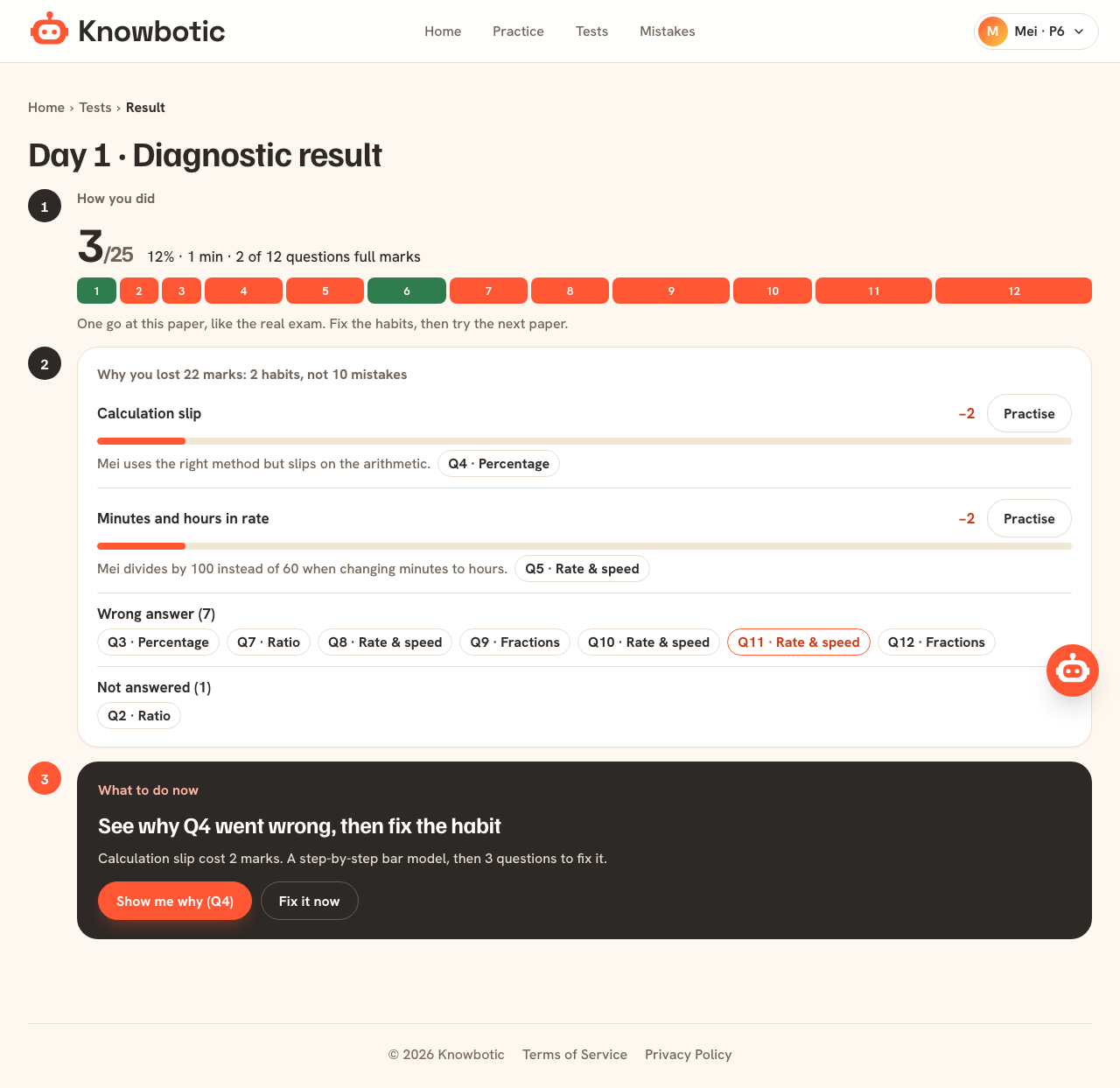
A short timed paper across the PSLE topics, about 25 minutes. It is sat once, like the real exam, so the result is honest. The result groups the lost marks by the habit that lost them.
Days 2 to 7: one thing a day
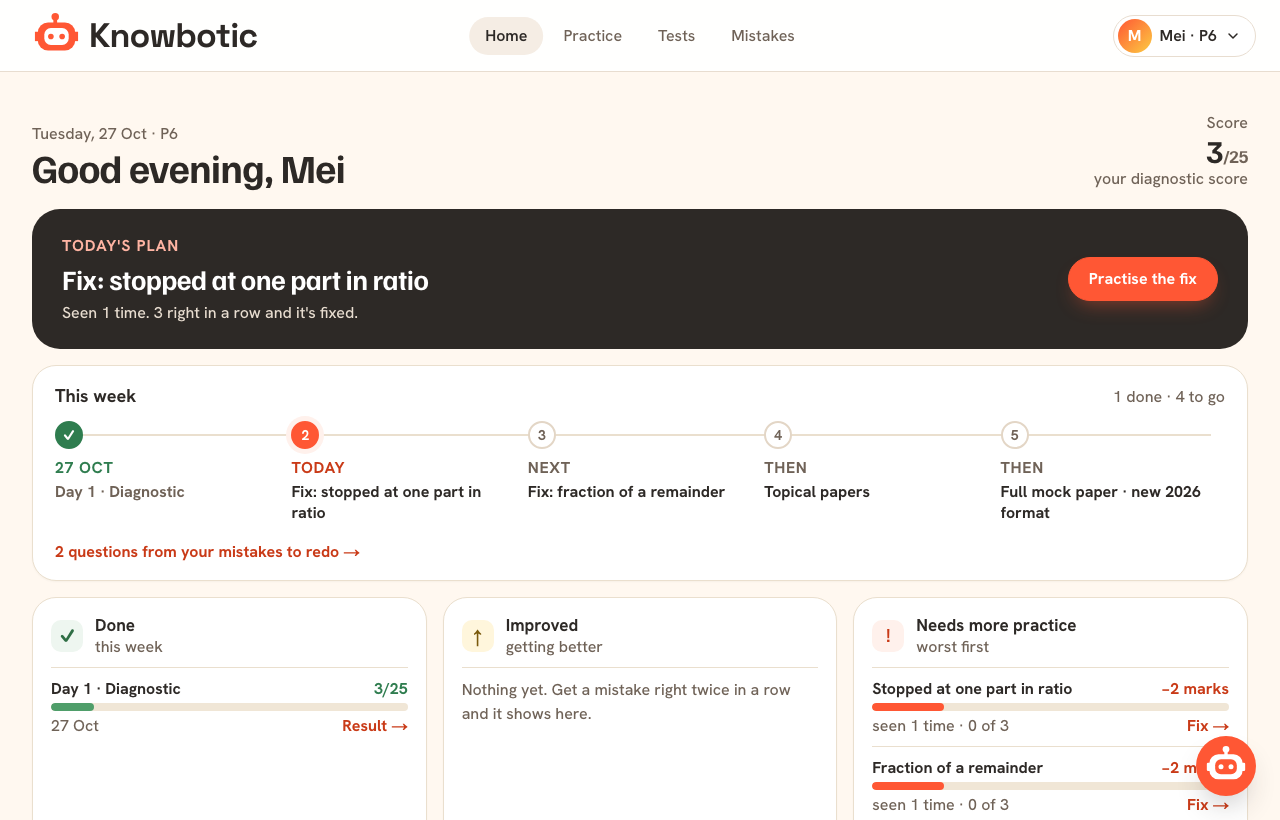
Your child’s home screen shows one step for today, usually a set of 5 to 10 questions on the habit costing the most marks. Every wrong answer is explained, and Knowbot, the maths tutor, helps when your child is stuck. A habit counts as fixed after 3 right answers in a row.
End of the week: your report
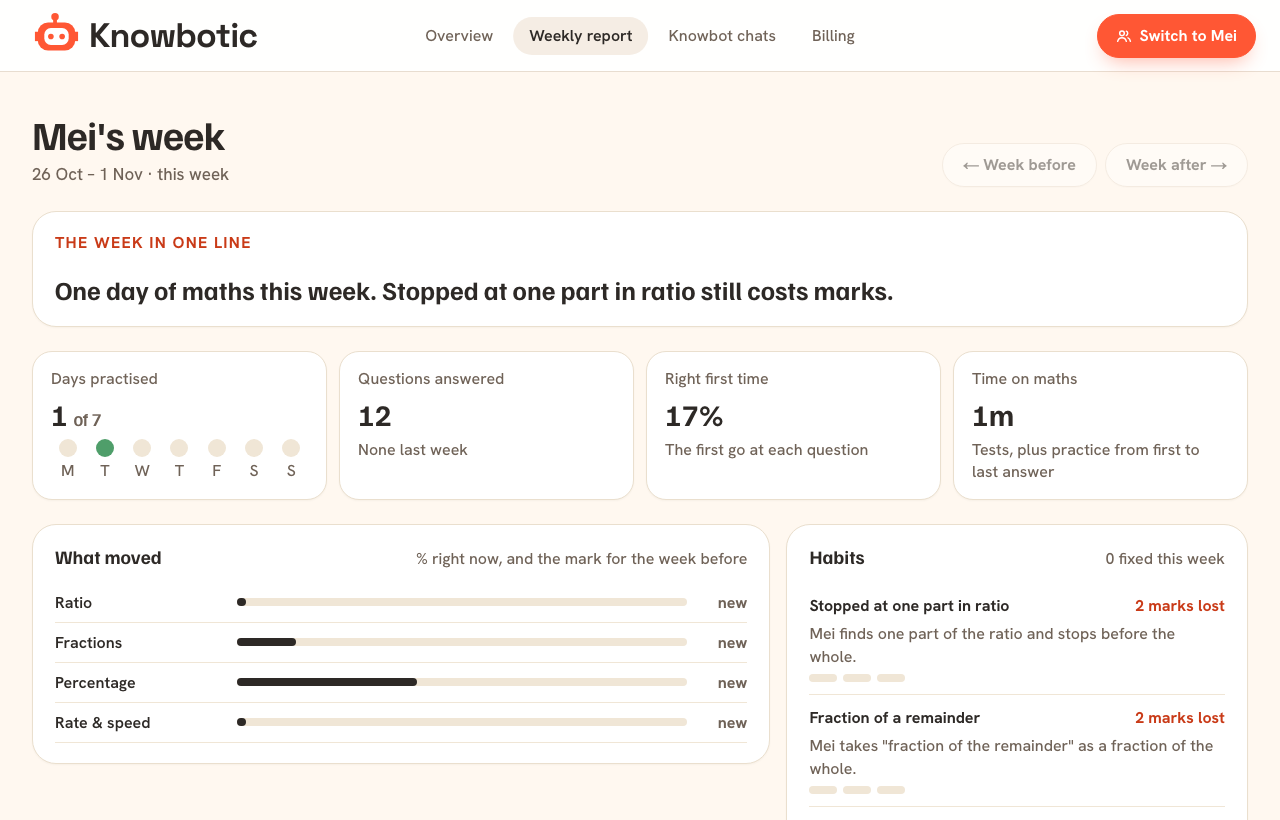
The weekly report tells you in one line how the week went, then the numbers: days practised, right first time, topics, and which habits were fixed.
Questions parents ask
Does my child need their own account?
No. You sign in with Apple or Google, add your child, and your child uses Knowbotic on your account. Children never sign in themselves.
What happens when the trial ends?
The trial is S$4.99 for 7 days. You get a reminder 2 days before it ends. If you don’t cancel, it becomes S$29 a month, and you can cancel any time from your account.
Can we use it on a tablet or phone?
Yes. Knowbotic runs in the browser on a computer, tablet or phone. A bigger screen is easier for timed papers.
See which habits are costing your child marks.
Three PSLE questions, free, no sign-up. You’ll see exactly where the marks went. Then 7 days of everything for S$4.99.